Best Productivity Apps for
Indian Students 2026
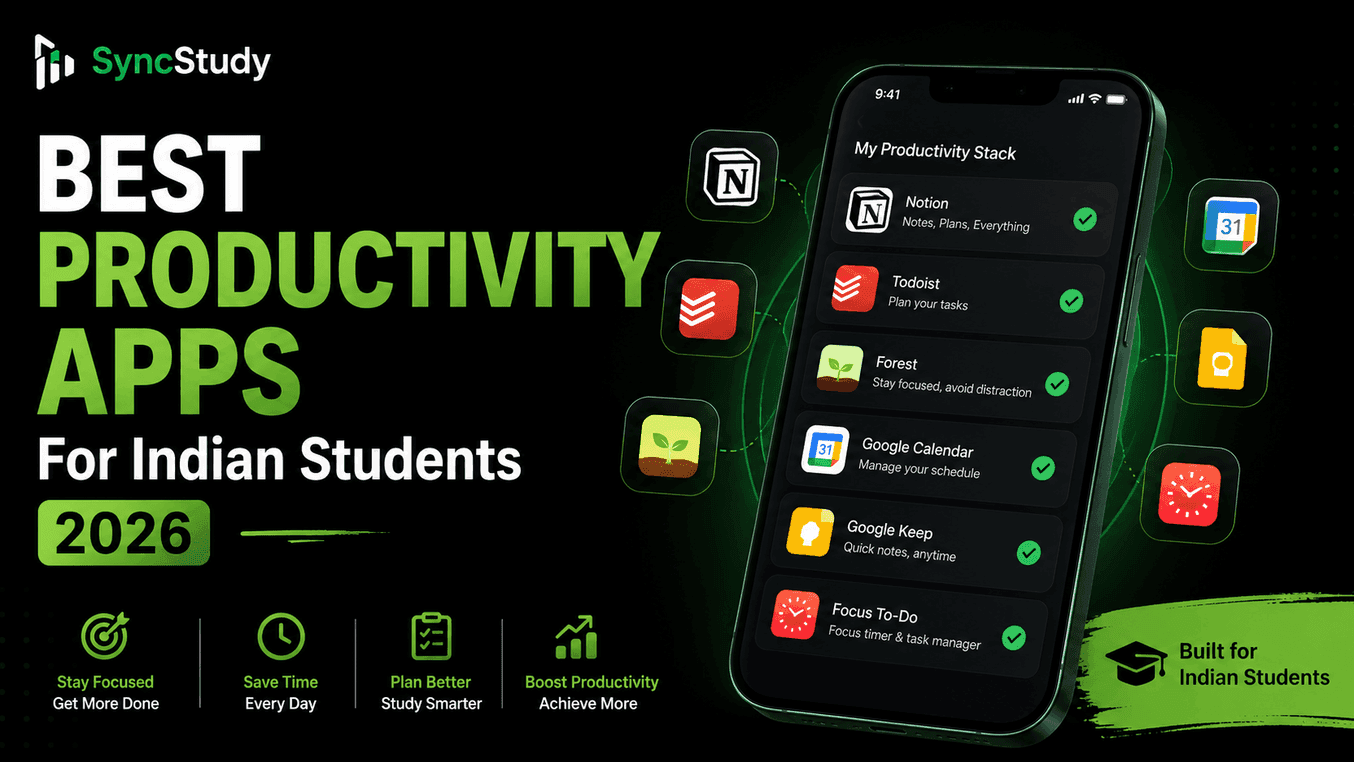
We curated and tested the absolute best productivity apps tailored to help Indian students manage studies, defeat screen-time addictions, and ace competitive exams like JEE, NEET, and board exams.
Key takeaways
- Notion remains the overall best app for academic workspace databases and general note-taking.
- SyncStudy is the #1 free converter to learn from YouTube playlists without distraction.
- Forest uses high-fidelity gamification to prevent severe phone and social media distraction.
- Google Calendar serves as the foundational tool for scheduling study blocks and mock test slots.
- Competitive exam specialized tools (Anki, Desmos) boost retention and math visualization.
🚀 Turn Any YouTube Playlist into a Structured Course - Free
Use SyncStudy to organize channels into courses with progress tracking, notes, and scheduling.
Table of Contents
Why Indian Students Need Specialized Productivity Apps
Preparing for exams in India involves navigating a highly competitive landscape. Whether you are cracking JEE, NEET, or UPSC, you face vast syllabi and limited prep time. Uncontrolled phone distraction, digital clutter, and lack of visual progress tracking are the top reasons self-study schedules fail.
Implementing a curated study stack using specialized productivity applications helps you block out non-educational triggers, budget your time effectively, and maintain high motivation throughout your preparation.
5 Essential Free Apps Every Student Needs
SyncStudy
Distraction-Free YouTube learning
- Convert playlist to courses
- Distraction player
- Timestamped notes
- Study calendar
Notion
Academic database & notes
- Syllabus databases
- Formula sheets
- Active recall toggles
- To-do lists
Forest
Focus Timer
- Pomodoro technique
- Plant virtual trees
- Focus stats
- Achievement system
Microsoft To Do
Task Planning
- Daily tasks
- My Day feature
- Cross-platform sync
- List sharing
Google Calendar
Schedule Management
- Class scheduling
- Time blocking
- Reminders
- Event integration
5 Essential Paid Apps Worth Investment
Obsidian
- Knowledge graph
- Advanced linking
- Plugins
- Local storage
Build a personal knowledge base that grows with your academic journey
RescueTime
- Automatic time tracking
- Distraction blocking
- Detailed reports
- Goal setting
Understand exactly where your time goes and eliminate wasted hours
MindMeister
- Mind mapping
- Collaboration
- Export options
- Templates
Visual learning for complex subjects and exam preparation
Cold Turkey Blocker
- Advanced blocking
- Scheduling
- Statistics
- Customization
One-time investment for lifetime distraction-free study sessions
Freedom
- Cross-device blocking
- Scheduled sessions
- Insights
- Team features
Comprehensive digital wellness for serious students
Best Apps for JEE/NEET Preparation
🎯 Competitive Exam Specialized Tools:
JEE Preparation Essentials
- Use Desmos for plotting geometry and calculus curves.
- Use SyncStudy to watch JEE crash courses in full distraction-free mode.
NEET Preparation Essentials
- Use Anki flashcard decks for memorizing NCERT biology diagrams.
- Track plant physiology timelines via daily calendar planners.
Best Apps for UPSC & Government Exams
UPSC and other government competitive exams demand tracking massive historical timelines, daily current affairs, and comprehensive syllabus checklists. Using database apps like Notion to compile current affairs briefs along with SyncStudy to track news review playlists on YouTube keeps dropper schedules organized.
How to Build a High-Performance Study Stack
Follow these simple guidelines to prevent digital overload and keep your study stack lean:
Limit to 3 Core Apps
Avoid app fatigue. Pick one for planning (Notion), one for execution (SyncStudy), and one for focus (Forest).
Silence Notifications
Turn off banners, sounds, and push notifications for everything except emergency study alerts.
Sync Cross-Devices
Ensure your note databases and tracker metrics sync automatically between your phone, tablet, and PC.
Frequently Asked Questions
What is the absolute best free productivity app for Indian students?
Notion is highly recommended for notes and planners due to its flexibility. For students using YouTube lectures (JEE, NEET, coding), SyncStudy is the overall best because it transforms unstructured video playlists into distraction-free, trackable courses.
Can productivity apps help me get rid of phone addiction?
Yes! Gamified blockers like Forest (which grows virtual trees that die if you exit the app) and strict app blockers like Cold Turkey are highly effective for managing screen-time and building focus.
Is it worth paying for premium productivity apps?
For most students, free plans of apps like Notion, SyncStudy (up to 3 playlists), and Google Calendar are more than enough. Only invest in paid versions like Obsidian Sync or Freedom if you need specific features like advanced cross-device syncing or system-wide blocking.
Your 30-Day Productivity Challenge
🎯 Transform Your Productivity in 30 Days
- •Download 3 essential apps
- •Set up daily schedule
- •Track time for 3 days
- •Eliminate 1 major distraction
- •Use Pomodoro for all study sessions
- •Review daily productivity
- •Join study community
- •Optimize app settings
- •Implement advanced note-taking
- •Use spaced repetition
- •Track detailed analytics
- •Build morning routine
- •Achieve 80% focus rate
- •Maintain study-life balance
- •Help others with productivity
- •Plan long-term strategy