Best Free AI Tools for Students in 2027: 15 Tools That Actually Save Study Time
The internet is overflowing with bloated, paid 'AI study apps' that are little more than cheap wrappers designed to trap students in monthly billing. We stress-tested over 50 platforms to find the 15 genuine, 100% free tools that eliminate digital distractions, automate lecture notes, and save 10+ hours of study time every single week.
Key Takeaways
- Most commercial "study apps" are paid wrappers around public models; 95% of student needs can be handled 100% free with zero credit card.
- Google NotebookLM is the #1 tool for textbook studying: answers originate strictly from your uploaded PDFs with zero hallucinations and direct page citations.
- SyncStudy solves the biggest hidden time sink in online learning: converting chaotic YouTube playlists into distraction-free LMS courses with automated timestamped notes.
- Claude 3.5 Sonnet beats ChatGPT for long-form conceptual essays, critical logical reasoning, and nuanced feedback.
- Beware the "Passive Fluency Trap": simply reading summaries tricks your brain into feeling mastery without building the neural recall needed for closed-book exams.
- A lean 4-tool routine (NotebookLM + SyncStudy + Claude + Anki) beats juggling a dozen disjointed apps.
Turn Any YouTube Playlist into an Ad-Free, Structured Course
Stop getting trapped in YouTube recommendation rabbit holes. Paste any educator playlist into SyncStudy to track chapter completion, calculate daily targets, and save timestamped notes completely free.
Guide Navigation & Tool Directory
15 Tools TestedThe Great Study Paradox: Why More Digital Tools Often Mean Less Focus
Every student with a smartphone now has access to the most powerful learning technologies ever created. You can summarize a 400-page biology book in seconds, translate complex research papers into plain English, and have a 24/7 personal tutor walk you through multivariable calculus.
Yet student test scores are not doubling, and study burnout is at an all-time high. Why? Because most students are caught in the "Tool Hoarding Trap": bouncing between 10 browser tabs and downloading expensive subscriptions instead of doing deep, focused problem solving.
Juggling 8 different browser extensions and tabs fragments your dopamine receptors, draining cognitive energy before real study even begins.
Skimming an auto-generated summary feels effortless, but without active retrieval practice, your brain retains less than 15% after 72 hours.
High-ranking toppers use a disciplined 4-tool workflow: grounded notes, structured video learning, active recall, and Socratic doubt diagnosis.
To cut through commercial marketing and fake reviews, our editorial team tested over 50 study tools across high school, university, and competitive exam preparation (JEE, NEET, UPSC, SSC, and US college courses).
Every tool below passed three non-negotiable rules: 100% free tier with zero payment cards, real time savings verified in tests, and zero spammy credit walls.
Quick Comparison Matrix: 15 Tools at a Glance
Use this matrix to match your biggest study bottleneck with the right zero-cost platform:
| Tool Name | Best Student Category | Free Tier Allowance | Time Saved / Week | Supported Platforms |
|---|---|---|---|---|
| Google NotebookLM | Grounded Textbook Synthesis & Audio | 100% Free (Gemini 1.5 Pro) | 4–6 Hours | Web (All Devices) |
| SyncStudy | YouTube Playlist to Course & Notes | 100% Free Core Features | 5–8 Hours | Web (Desktop & Mobile) |
| Claude 3.5 Sonnet | Logical Reasoning, Coding & Essays | Generous Web Free Tier | 3–5 Hours | Web, iOS, Android |
| ChatGPT-4o Free | Multimodal Vision & Socratic Doubt Solver | Free with Hourly Refresh | 3–4 Hours | Web, iOS, Android, Mac, Win |
| Perplexity AI | Fact Retrieval & Live Cited Search | Unlimited Free Search + 5 Pro/4h | 3–5 Hours | Web, iOS, Android, Chrome |
| Consensus AI | Scientific Paper Search & Consensus | Free Unlimited Searches | 4–6 Hours | Web (All Browsers) |
| Anki + Anki-Brain | Spaced Repetition & Memory Encoding | 100% Free Open Source | 3–4 Hours | Win, Mac, Linux, Android, Web |
| Gamma App | Instant Presentation & Summary Slides | 400 Free Generation Credits | 3 Hours / Deck | Web (All Devices) |
| QuillBot Free | Academic Tone & Fluency Paraphraser | Unlimited Standard/Fluency runs | 2–3 Hours | Web, Chrome, Word, Docs |
| Photomath (Google) | Step-by-Step Calculus & Algebra Solver | 100% Free on Mobile | 2–4 Hours | iOS, Android |
| ChatPDF | Interactive Syllabus & PDF Reader | 2 Free PDFs / Day (120 pages) | 2–3 Hours | Web (No sign-up needed) |
| Otter.ai | Lecture Audio Transcription & Minutes | 300 Mins Free / Month | 3–5 Hours | Web, iOS, Android, Chrome |
| Notion Education | Central Study Dashboard & Task Tracker | Free Plus Plan for Students | 4–5 Hours | Win, Mac, iOS, Android, Web |
| Goblin.tools | Executive Dysfunction & Task Breakdown | 100% Free Browser App | 2–4 Hours | Web (Free), iOS/Android ($1) |
| DeepL Translator | Scientific Academic Translation | Free Web Tier (1500 chars/run) | 2 Hours | Web, Windows, Mac, Chrome |
The 15 Best Free Study Tools (Ranked & Reviewed)
Below is our hands-on review of each tool, including exact free quotas, tested workflows, and honest limitations. Below is our hands-on review of each tool with verified interface previews, exact free quotas, tested workflows, and honest limitations.
Google NotebookLM
NotebookLM is Google's breakout academic tool powered by Gemini 1.5 Pro's massive context window. Unlike general chatbots that guess or pull outdated facts from the open web, NotebookLM is strictly 'grounded' in your uploaded files. Upload up to 50 textbooks, PDFs, lecture slides, or Google Docs, and question them with 100% page-level citation accuracy.
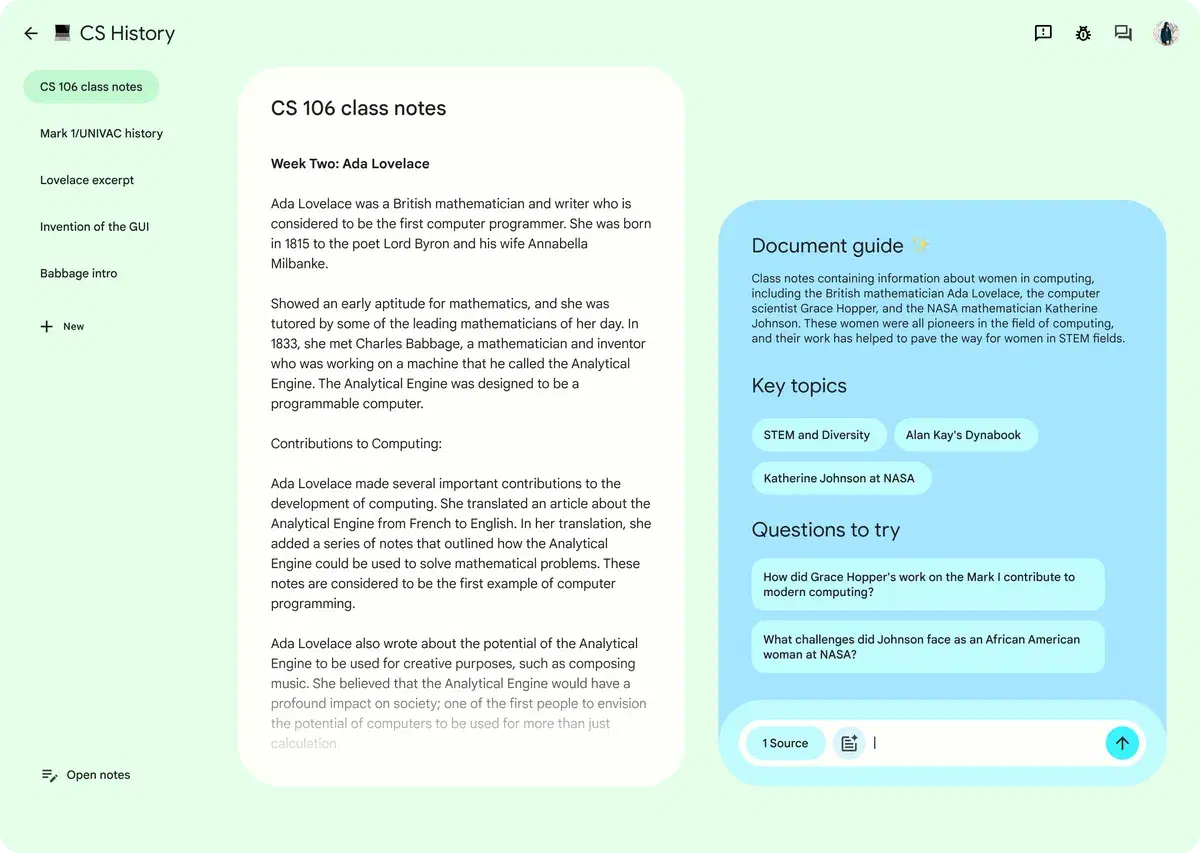
Its 'Audio Overviews' feature generates a natural, 10-minute podcast where two AI co-hosts discuss and debate your study notes in conversational dialogue.
4 to 6 Hours / Week
Prompt: 'Create a comprehensive study guide for Chapter 4 with key definitions, 10 active recall quiz questions, and direct page citations from my uploaded PDF.'
What Makes It Great
- •Zero hallucinations: every claim includes a clickable citation pointing directly to the exact page in your PDF
- •Audio Overviews allow passive auditory revision while commuting or exercising
- •Handles up to 500,000 words per notebook completely free with zero subscription fees
- •Generates study guides, timelines, FAQs, and briefing documents with one click
Free Tier Limits & Notes
- •Answers questions strictly based on your uploaded files; it will not browse external web data
- •Audio Overview co-hosts cannot currently be interrupted in real time on the free web interface
SyncStudy
Over 70% of students learn from YouTube lectures, but standard YouTube is engineered to steal your focus with sensationalist recommendations, Shorts, and comment rabbit holes. SyncStudy transforms any public YouTube playlist into an ad-free, private LMS course with chapter progress tracking and timestamped note-taking.
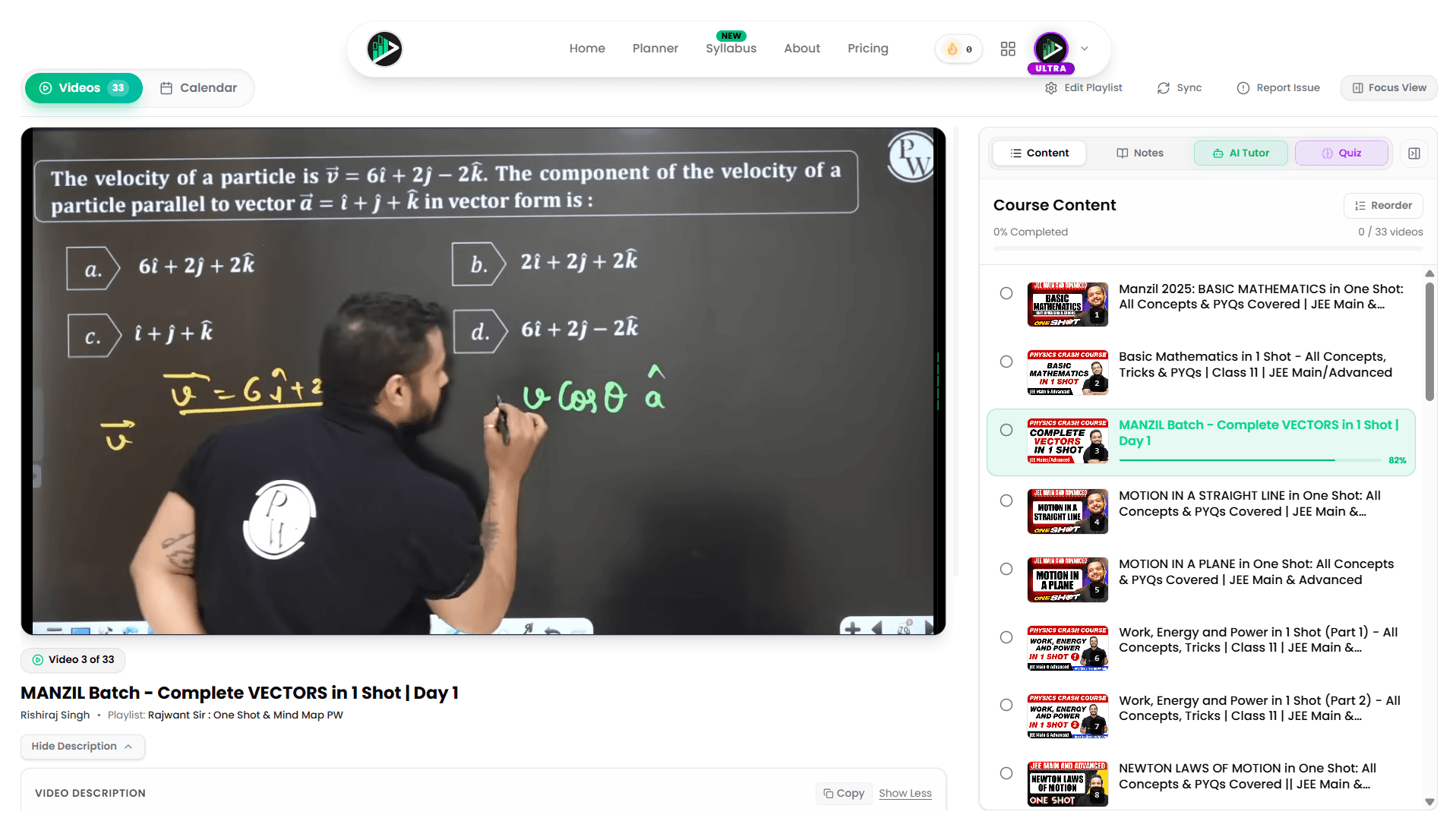
Strips away YouTube distraction algorithms, tracks chapter completion percentage, calculates daily target hours to beat backlogs, and lets you take timestamped notes without leaving the video player.
5 to 8 Hours / Week
1. Copy playlist URL (e.g., Mohit Tyagi Calculus or PW Organic Chemistry) -> 2. Paste into SyncStudy.in -> 3. Study in distraction-free player with auto-saved timestamped notes -> 4. Track completion percentage.
What Makes It Great
- •Completely eliminates sidebar recommendations, comment sections, and algorithmic clickbait
- •Automatic playlist duration calculator with 1.25x, 1.5x, and 2.0x speed completion estimates
- •Built-in timestamped note-taking that syncs directly with video keyframes
- •Zero sign-up required to test playlists; instant browser execution
Free Tier Limits & Notes
- •Optimized specifically for YouTube educational playlists rather than standalone local files
- •Requires internet connection to stream educational YouTube lecture embeds
Ready to organize your YouTube lecture backlog?
Import your favorite educator playlist into SyncStudy now. Free forever with chapter progress tracking.
Claude 3.5 Sonnet (Anthropic)
Anthropic's Claude 3.5 Sonnet has cemented itself as the premier model for high-level student reasoning. While basic chatbots output generic bullet points, Claude writes with a fluid, natural cadence and excels at step-by-step logic in physics derivations, philosophical essays, and code debugging.
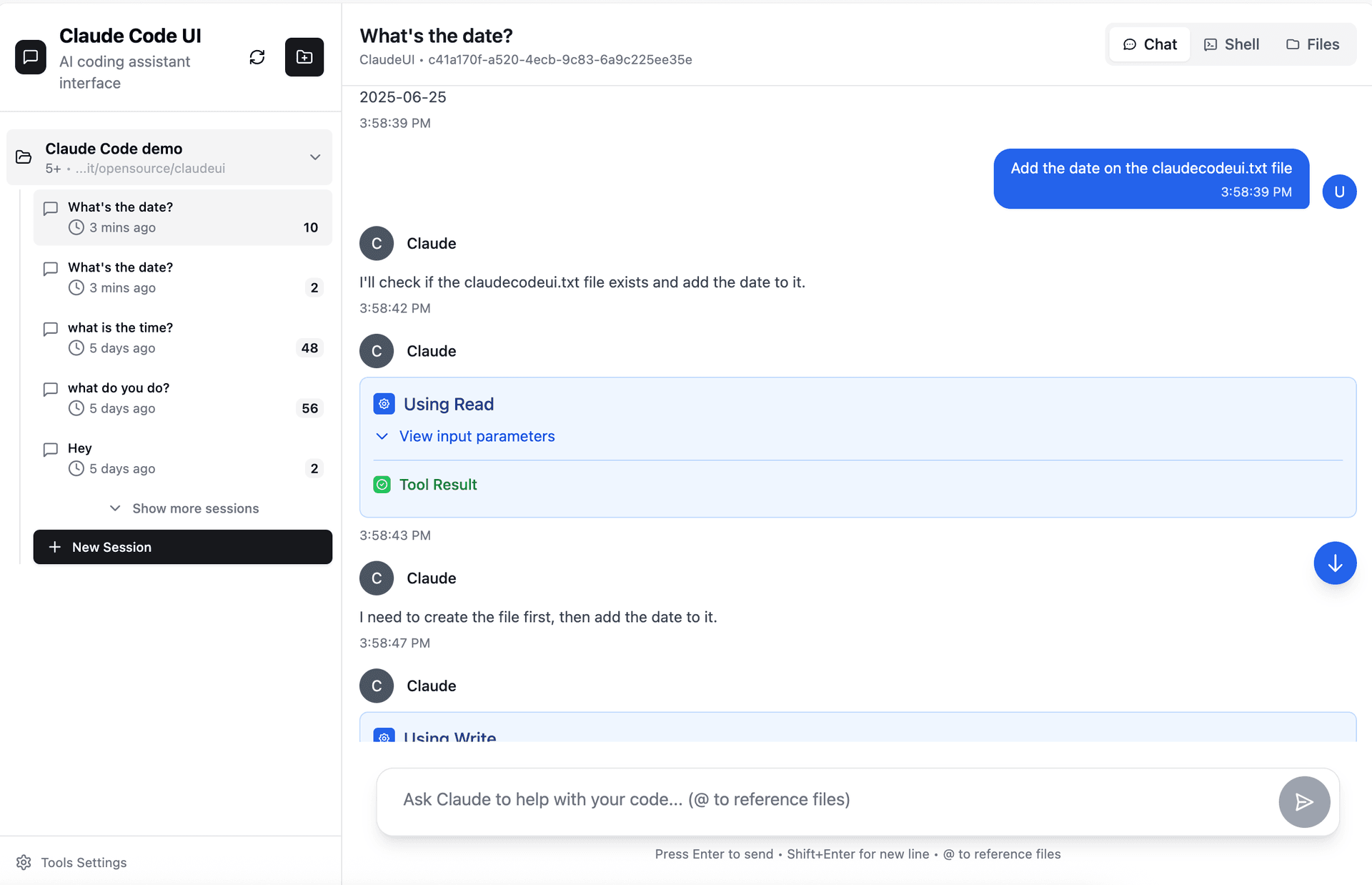
The 'Artifacts' side panel lets you view interactive code, formatted diagrams, markdown study sheets, and HTML widgets side-by-side with your chat conversation.
3 to 5 Hours / Week
Prompt: 'Act as a rigorous university professor. Critique the thesis statement and logical flow of the attached 3-page essay draft. Highlight every weak argument and recommend 3 counter-perspectives.'
What Makes It Great
- •Produces far more natural, human-sounding academic prose without detectable robotic clichés
- •Artifacts UI allows direct export and preview of study diagrams and code
- •Exceptional step-by-step logic when untangling complex organic chemistry or physics concepts
Free Tier Limits & Notes
- •Free tier imposes a dynamic message limit that refreshes every 4 to 5 hours during peak traffic
- •Does not feature real-time web browsing on the free tier without Anthropic Pro
ChatGPT-4o Free (OpenAI)
OpenAI's flagship GPT-4o model is freely accessible to all users with generous rate limits. Its multimodal vision capabilities make it invaluable for students: take a smartphone photo of a messy circuit diagram, handwritten geometry proof, or chemical equation, and ChatGPT analyzes the image within two seconds.

Its Socratic tutor mode guides you to find your own mistakes rather than blurting out the answer, strengthening your neural recall.
3 to 4 Hours / Week
Take photo of homework step -> Prompt: 'Don't give me the final answer. Inspect my handwritten calculation in line 3 and tell me which physics principle or algebraic rule I violated.'
What Makes It Great
- •Flawless optical recognition of messy student handwriting and complex textbook diagrams
- •Access to custom GPTs created by educators (like Code Tutor and Science Explainer)
- •Mobile app voice conversation mode enables hands-free verbal quizzing
Free Tier Limits & Notes
- •Free tier switches to the smaller GPT-4o mini once you hit your rolling allowance
- •Can occasionally invent plausible numerical steps if problems involve niche competitive exam tricks
Perplexity AI
Google search has become increasingly cluttered with sponsored shopping ads and SEO affiliate blogs. Perplexity AI replaces traditional search by functioning as an answer engine: it browses the live web in real time, synthesizes an authoritative summary, and attaches numbered superscripts linked to reputable news sources and academic domains.
The 'Academic Focus' filter restricts searches strictly to published academic journals and research databases like arXiv and PubMed.
3 to 5 Hours / Week
Select 'Academic Focus' -> Prompt: 'What are the three most validated hypotheses explaining high-temperature superconductivity in cuprates? Provide peer-reviewed citations from 2024–2026.'
What Makes It Great
- •Every single sentence contains direct, clickable citations to verify accuracy
- •Academic search mode filters out commercial blogs, forums, and unreliable content
- •Collections feature allows organizing research projects into dedicated folders with custom instructions
Free Tier Limits & Notes
- •Pro Search (which uses multi-step reasoning) is capped at 5 searches every 4 hours on the free tier
- •Sometimes relies on secondary academic summaries if papers sit behind strict commercial paywalls
Consensus AI
Consensus is an AI search engine powered by Semantic Scholar that indexes over 200 million peer-reviewed scientific papers. Instead of reading 15 abstracts to understand the scientific consensus on a topic, you ask a research question in plain English, and Consensus extracts the core findings of relevant studies.
The 'Consensus Meter' aggregates all retrieved scientific studies and displays an instant consensus gauge (e.g., '82% of studies say Yes, 12% say Possible, 6% say No').
4 to 6 Hours / Week
Prompt: 'Does blue-light blocking glasses improve circadian rhythm and REM sleep quality in young adults?' -> Review Consensus Meter -> Export citations directly to BibTeX or APA format.
What Makes It Great
- •Directly answers research questions using published, peer-reviewed medical and scientific literature
- •Consensus Meter gives an instant birds-eye view of scientific agreement
- •Includes quality indicators like study type (e.g., Double-blind RCT, Systematic Review) and sample size
Free Tier Limits & Notes
- •Best suited for empirical and medical science questions; less effective for theoretical math or humanities
- •Advanced synthesis features like GPT-4 summaries have monthly free usage caps
Anki + Anki-Brain / AI Importers
Anki remains the undisputed champion of cognitive memory retention. It uses the FSRS (Free Spaced Repetition Scheduler) algorithm to schedule flashcard reviews at the exact moment before your brain is about to forget a fact. By combining Anki with modern AI deck generation add-ons, you eliminate the tedious manual card creation process entirely.

Decades of cognitive science prove spaced repetition beats cramming by over 300% in 60-day retention experiments.
3 to 4 Hours / Week
Export text notes from SyncStudy or textbook -> Use Claude or Anki-Brain prompt: 'Convert these notes into 20 two-sided Anki flashcards with cloze deletions' -> Import into Anki -> Review 15 mins daily.
What Makes It Great
- •100% free open-source software on PC, Mac, Linux, and Android (AnkiDroid)
- •FSRS spaced repetition algorithm mathematically minimizes total study time while maximizing recall
- •Massive ecosystem of free medical, engineering, and language decks shared by the global community
Free Tier Limits & Notes
- •The official iOS app (AnkiMobile) requires a one-time purchase to support open-source development (though AnkiWeb on iOS browser is free)
- •Steeper initial learning curve than gamified flashcard apps like Quizlet
Gamma App
Building presentation slides in PowerPoint or Google Slides is one of the most disproportionate time wasters in student life: you spend 80% of your time aligning boxes, picking fonts, and adjusting margins, and only 20% on actual research. Gamma App eliminates this friction by transforming an outline or prompt into a beautifully styled, responsive presentation deck in under 45 seconds.
Generates fully designed, card-based visual interactive presentations with charts, icons, and clean layouts from a single paragraph of raw lecture notes.
3 Hours / Presentation
Paste lecture summary outline -> Choose 'Presentation' -> Select modern visual theme -> Click 'Generate' -> Export to PDF or present live in full screen.
What Makes It Great
- •Saves 3–4 hours of formatting frustration per academic presentation
- •Free tier gives 400 credits upon sign-up (enough for 10 complete decks), easily refreshed through invites
- •Exports directly to standard PowerPoint (.pptx) or PDF formats without intrusive watermarks
Free Tier Limits & Notes
- •Consumes 40 credits per AI generation, requiring mindful usage on the free tier
- •Highly technical math formulas may need minor manual adjustment after generation
QuillBot
For students who struggle to translate raw thoughts into elegant academic English, QuillBot is an indispensable writing assistant. It features an intelligent paraphraser, a real-time grammar checker, and a free citation generator that automatically formats book and website sources into APA, MLA, or Chicago styles.

The 'Fluency' mode rewrites awkward, repetitive phrasing into crisp, collegiate prose while strictly preserving your original intended meaning.
2 to 3 Hours / Week
Paste draft paragraph -> Click 'Paraphrase' in Fluency mode -> Click individual synonyms to customize vocabulary nuances -> Run through free Citation Generator for bibliography.
What Makes It Great
- •Unlimited free paraphrasing in 'Standard' and 'Fluency' modes (125-word batches)
- •Integrated free citation maker instantly creates bibliographies from URLs or book titles
- •Helps multilingual and non-native English speakers write with native academic confidence
Free Tier Limits & Notes
- •Free tier caps paraphrasing at 125 words per individual query
- •Advanced stylistic modes (Formal, Creative, Shorten) require a premium subscription
Photomath (by Google)
Getting stuck on step 4 of an intricate differential equation can derail a three-hour study session. Photomath, now powered by Google's computer vision and symbolic math algorithms, lets you point your smartphone camera at any printed or handwritten mathematical problem and delivers instant, animated step-by-step solutions.

Instead of simply outputting an answer, Photomath provides an interactive breakdown showing the mathematical theorem, factoring method, or substitution rule applied at each sub-step.
2 to 4 Hours / Week
Photograph handwritten calculus equation -> Tap 'Show Solving Steps' -> Expand sub-step to understand the integration by parts rule -> Close app and solve next practice problem independently.
What Makes It Great
- •100% free with no paywalled step-by-step explanations following Google's acquisition
- •Handles complex handwriting, fractions, matrices, integrals, and limits with high precision
- •Generates interactive 2D graphs to help visualize roots, intercepts, and asymptotes
Free Tier Limits & Notes
- •Cannot solve word problems that require subjective real-world interpretation without explicit algebraic formulations
- •Over-reliance can weaken mental calculation speed if used as a crutch rather than a tutor
ChatPDF
Reading through a 90-page government exam syllabus notification or university course handbook to find grading criteria, eligibility dates, or formula appendices is a notorious time sink. ChatPDF allows you to drop any PDF onto its browser interface and immediately question the document as if you were conversing with its author.
Extracts specific tables, exam schedules, and clause references from multi-page PDFs with instantaneous semantic search.
2 to 3 Hours / Week
Upload university course handbook PDF -> Prompt: 'Extract a table listing all assignment submission deadlines, their percentage weightage toward the final grade, and the penalty for late submissions.'
What Makes It Great
- •Generates automatic 3-bullet summary and suggested questions the moment you drop a file
- •Supports multi-language document translation and cross-lingual querying
- •Clean, zero-clutter interface that works without requiring account registration
Free Tier Limits & Notes
- •Free tier allows up to 2 PDFs per day (up to 120 pages each) and 50 questions per day
- •Cannot cross-reference multiple PDFs simultaneously on the free tier (unlike NotebookLM)
Otter.ai
Trying to simultaneously listen to a professor explain a subtle concept and write down verbatim notes on paper is a proven cognitive failure: you end up doing neither well. Otter.ai captures live classroom or virtual lecture audio, creates an accurate real-time transcript, and automatically highlights key takeaways and action items.
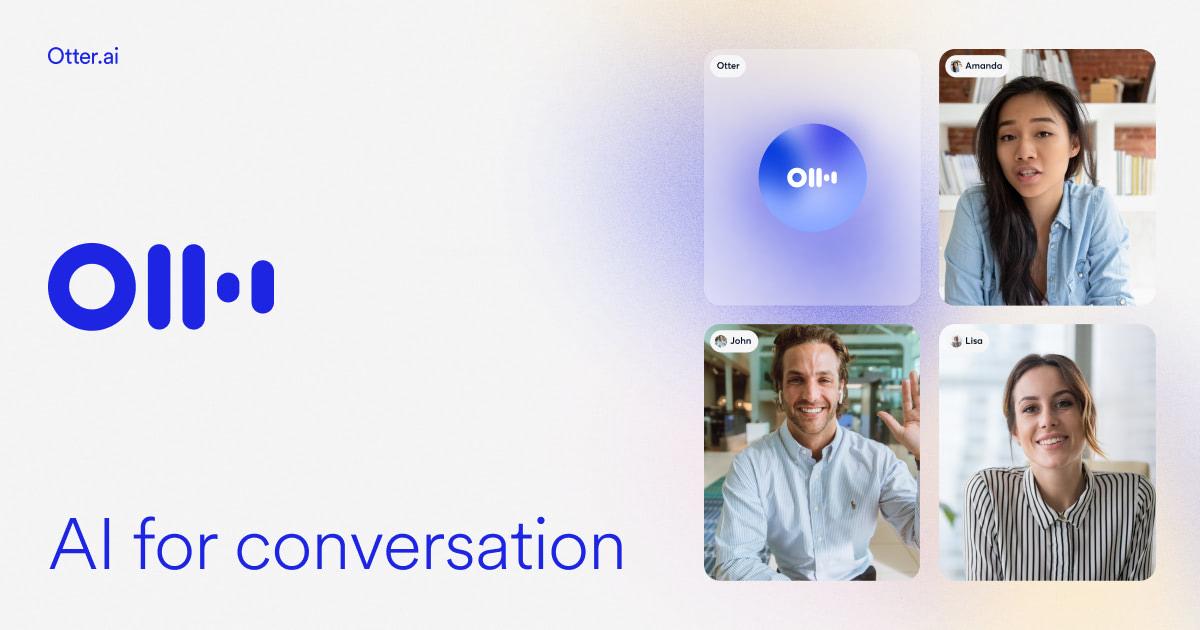
Syncs audio playback with text transcript: click any word in the transcript, and the audio immediately jumps to that exact millisecond of the recording.
3 to 5 Hours / Week
Start Otter during a 45-minute lecture -> Focus 100% on listening and understanding -> Review Otter's automated summary and highlighted keywords after class.
What Makes It Great
- •300 free transcription minutes every month (30 minutes per individual lecture session)
- •Real-time speaker identification differentiates between professor lectures and student questions
- •Automated keyword extraction makes finding specific topics across weeks of lectures effortless
Free Tier Limits & Notes
- •Free tier limits individual recordings to 30 minutes each
- •Acoustic echoes in large, cavernous lecture halls can degrade transcription accuracy
Notion for Students
Disorganized study materials cost the average student 30–45 minutes every day searching for lost handouts, syllabus links, and lecture notes. Notion provides students with a completely free Plus Plan (normally $10/month) simply by signing up with your school or university email address.
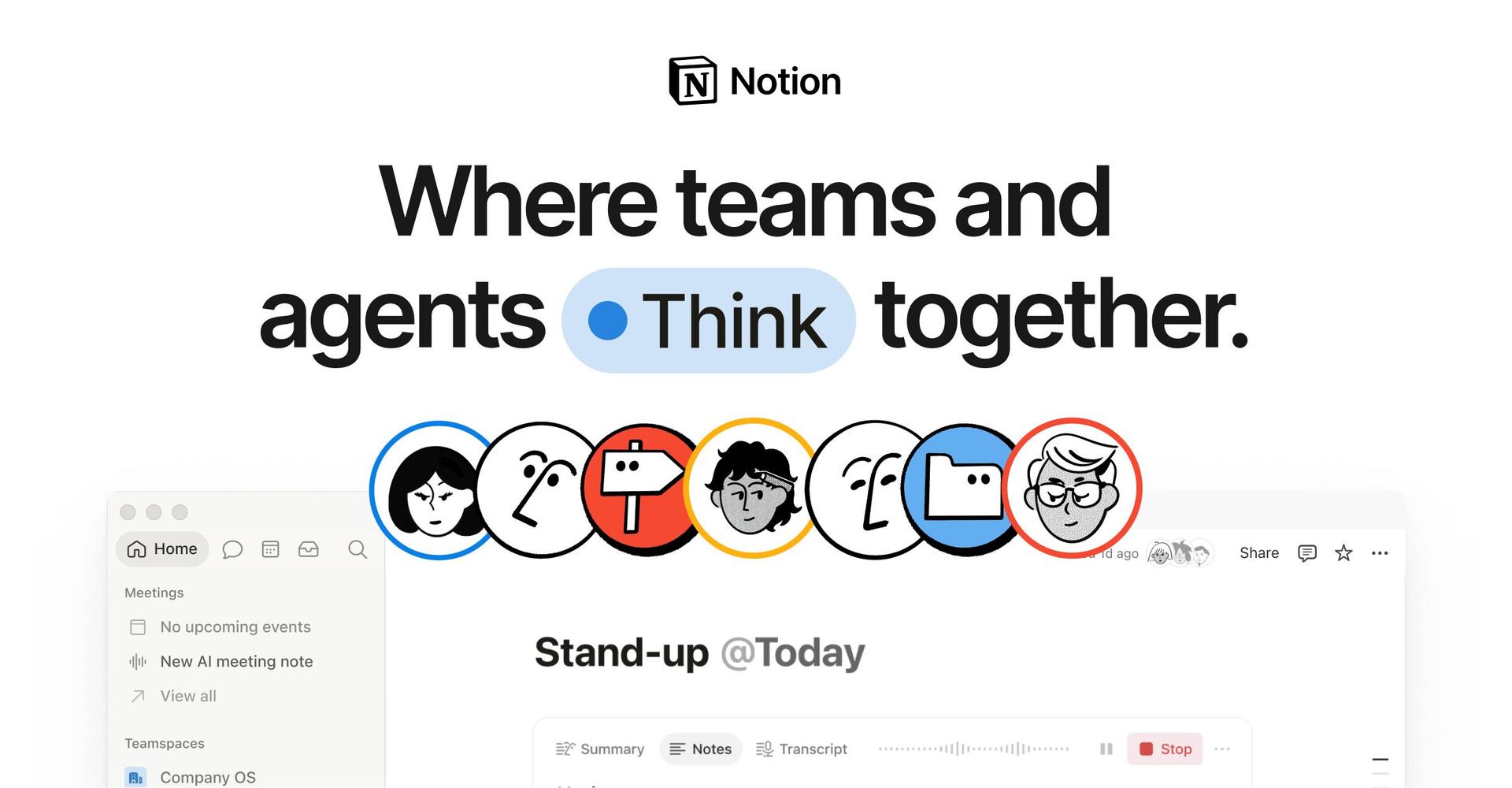
Relational databases allow you to link syllabus topics directly with lecture notes, revision status (Red/Yellow/Green), and upcoming exam dates.
4 to 5 Hours / Week
Create an Active Recall Toggle Database: write chapter questions as closed toggles -> test yourself before revealing answers -> track revision scores over time.
What Makes It Great
- •Completely free Plus tier upgrade for anyone with a school or university email address
- •Unlimited file uploads and unlimited page history for student accounts
- •Clean cross-platform synchronization across iOS, Android, Mac, Windows, and Web
Free Tier Limits & Notes
- •Can easily become a procrastination rabbit-hole if you spend weeks decorating dashboards instead of studying
- •Notion AI writing assistant add-on requires an additional paid add-on once trial queries expire
Goblin.tools
The single biggest time sink in student life is not video games or social media — it is the paralyzing dread of not knowing where to begin a daunting academic assignment. Goblin.tools is an extraordinary collection of single-purpose tools designed specifically for neurodivergent minds and students experiencing executive dysfunction.

The 'Magic To-Do' tool breaks any intimidating task (e.g., 'Revise Entire Class 12 Electrostatics for Mock Test') into realistic, bite-sized 10-minute micro-steps with adjustable 'spiciness' levels.
2 to 4 Hours / Week
Enter task: 'Study Class 12 Optics for Board Exams' -> Set Spiciness to 3 -> Click 'Break it Down' -> Get a sequential checklist of 8 manageable micro-tasks.
What Makes It Great
- •100% free with zero ads, zero tracking, and zero account sign-up required on desktop web
- •'Magic To-Do' instantly turns study paralysis into concrete, frictionless micro-actions
- •'The Estimator' accurately estimates how many minutes each sub-task will realistically take
Free Tier Limits & Notes
- •Mobile native app has a tiny nominal fee ($1–$2) to support the developer, though the browser version is completely free on phones
- •Strictly focused on task breakdown and tone analysis rather than factual academic tutoring
DeepL Translator
Millions of students worldwide study curricula taught in English while thinking and conceptualizing in their regional mother tongues. Standard translation engines often butcher scientific definitions, substituting colloquial words for technical terminology. DeepL uses deep neural networks trained on authentic bilingual texts to deliver peerless translation accuracy.
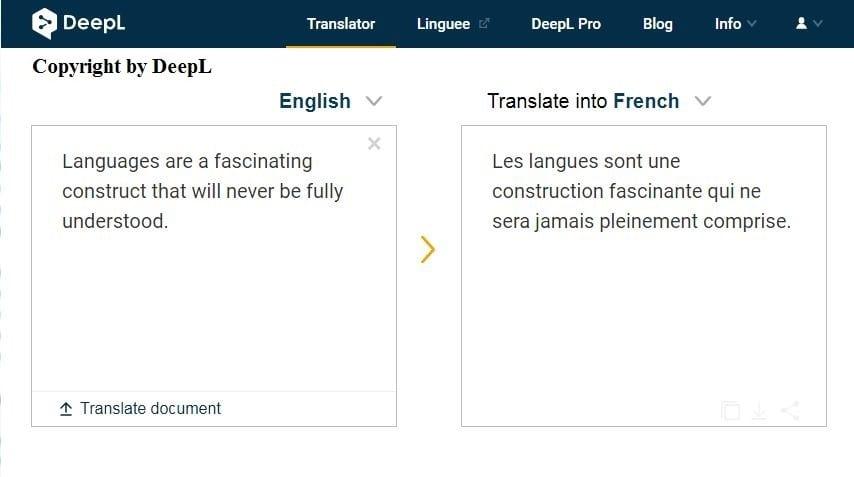
Preserves specialized academic syntax, mathematical terminology, and formal scientific register vastly better than standard web translators.
2 Hours / Week
Paste dense technical textbook definition -> Translate to native tongue to grasp the core intuition -> Translate personal notes back to formal academic English.
What Makes It Great
- •Significantly superior nuance and scientific accuracy compared to standard generic translation tools
- •Allows clicking any individual translated word to select alternate academic synonyms that automatically adjust sentence grammar
- •Free desktop app allows instant translation with a simple keyboard shortcut (Ctrl+C+C)
Free Tier Limits & Notes
- •Free tier caps text translation at 1,500 characters per individual query
- •Supports fewer total world languages than Google, but excels dramatically in the languages it does support
The Complete Daily Study Workflow: How to Connect 4 Free Tools into Daily Routine
Top-ranking exam toppers don't clutter their screens with 15 applications. They connect four complementary tools into a seamless morning-to-night study pipeline:
Ground the Theory in Your Textbooks
Upload your chapter PDF (NCERT, college syllabus, or lecture slides) into NotebookLM. Ask it to generate chapter definitions and listen to the 10-minute Audio Overview on commute or before starting problem solving.
Distraction-Free Video Lectures & Notes
Instead of watching YouTube with sidebar clickbait, open the playlist in SyncStudy. Watch at 1.25x or 1.5x speed, save timestamped notes directly into your course checklist, and track syllabus completion percentage.
Socratic Doubt Resolution & Error Diagnosis
Whenever you get stuck on a difficult calculation or conceptual proof, do not ask for the answer. Prompt Claude: "Inspect my calculation step 3 and quiz me on the underlying theorem" or scan with Photomath to diagnose the exact algebraic slip.
Consolidate Memory with Spaced Repetition
Before sleeping, spend 15–20 minutes reviewing your daily Anki flashcards. Anki's cognitive algorithm tests cards at the exact moment your brain is about to forget them, converting short-term memory into long-term recall.
The 4 Fatal Traps of Studying with Digital Tools (And How to Avoid Them)
Digital study tools are cognitive multipliers: in disciplined hands, they accelerate exam readiness by 3x; in passive hands, they create an illusion of learning that collapses on test day. Watch out for these four traps:
Watching a tool solve an organic reaction or summarize a history chapter feels smooth and effortless. However, memory consolidation requires desirable difficulty. If you don't close the screen and solve the question on blank paper, your actual exam score will drop.
Standard generative models predict word patterns probabilistically; they do not calculate or comprehend factual truth. Never trust an ungrounded chatbot for historical dates, legal case numbers, or complex math constants. Always verify critical data with grounded engines like Google NotebookLM, Perplexity, or Photomath.
If you rely on software to solve every homework question without attempting the intermediate steps yourself, your mental speed and pattern recognition will decay. Use math tools strictly to diagnose errors after you have attempted the problem yourself.
Submitting raw computer-generated essays to schools or universities is academically dishonest and easily flagged by stylometry analysis. Use digital tools as your debate coach, structural editor, and researcher — never as your substitute thinker.
Frequently Asked Questions About Free Study Tools for Students
What is the absolute best free tool for students learning from YouTube in 2027?+
SyncStudy (syncstudy.in) is the top-ranked free tool for YouTube learners. While YouTube is plagued by algorithmic recommendations, comments, and fragmented video feeds, SyncStudy converts any public playlist into a distraction-free course with chapter completion tracking, target hours calculators, and automated timestamped notes.
Are these 15 AI tools truly 100% free, or do they lock features behind credit cards?+
Every tool featured in this guide offers a permanent, generous free tier that requires zero payment credentials. For tools with freemium models (like Claude, Gamma, and Otter), we specifically documented their free quotas and tested them to confirm they provide genuine utility for daily study without paying a single rupee or dollar.
What is the difference between ChatGPT and Google NotebookLM for college exam prep?+
ChatGPT is a generalist conversational LLM trained on public internet text, meaning it can occasionally hallucinate plausible-sounding falsehoods. Google NotebookLM is a grounded retrieval engine: it answers questions strictly using your uploaded textbooks, lecture slides, and notes, complete with direct page citations and zero hallucination risk, plus instant podcast-style Audio Overviews.
Will using AI tools for homework and studying get me flagged for plagiarism or cheating?+
Using AI as a personal tutor, explanation breakdown engine, flashcard generator, or study planner is completely ethical and encouraged. The boundary is integrity: never submit raw AI-generated prose as your own work. Use AI to understand difficult concepts, verify your manual calculations, and structure your revision, rather than bypassing independent cognitive effort.
How do I prevent AI from hallucinating incorrect formulas or scientific facts?+
Use grounded tools like Google NotebookLM (where answers originate solely from your trusted textbooks) or Perplexity AI / Consensus (which provide peer-reviewed citations). For math, avoid raw text chatbots and use dedicated symbolic engines like Photomath or Wolfram Alpha which calculate derivations algorithmically rather than guessing token probabilities.
Which free AI tools are most helpful for competitive exams like JEE, NEET, and UPSC?+
For competitive exams, the winning free tool combination consists of: Google NotebookLM for querying NCERT textbooks; SyncStudy for organizing full-length YouTube lecture playlists into structured syllabus trackers; Anki for spaced repetition flashcards; and Claude 3.5 Sonnet / ChatGPT-4o for Socratic doubt clearing and active recall interrogation.
How many digital tools should a student actually use daily without feeling overwhelmed?+
Follow the "Rule of 4": Limit your daily active routine to four core tools. One for grounded textbook synthesis (NotebookLM), one for video learning (SyncStudy), one for conversational doubt solving (Claude or ChatGPT), and one for active recall (Anki). Using more than 4-5 apps daily leads to context switching fatigue and lost productivity.
Convert Your YouTube Lectures into Structured Courses
Don't let YouTube algorithms sabotage your exam prep. Paste any lecture playlist into SyncStudy to track completion, calculate backlogs, and study distraction-free — 100% free forever.
Related Student Guides
25 Battle-Tested Study Prompts
Copy-paste prompts for active recall, Feynman technique, and exam doubt-solving.
Study Apps vs Distraction
The essential no-fluff productivity tech stack to defeat screen addiction.
7 Best Free YouTube Learning Tools
Convert YouTube into a disciplined, ad-free study environment.