7 Best Free Tools to Learn from YouTube in 2027: Tested & Ranked for Students
YouTube holds the world's greatest educational lectures — yet 85% of students abandon playlists within two weeks due to zero structure and algorithm rabbit holes. We tested the top free tools that transform chaotic playlists into disciplined, high-scoring courses.
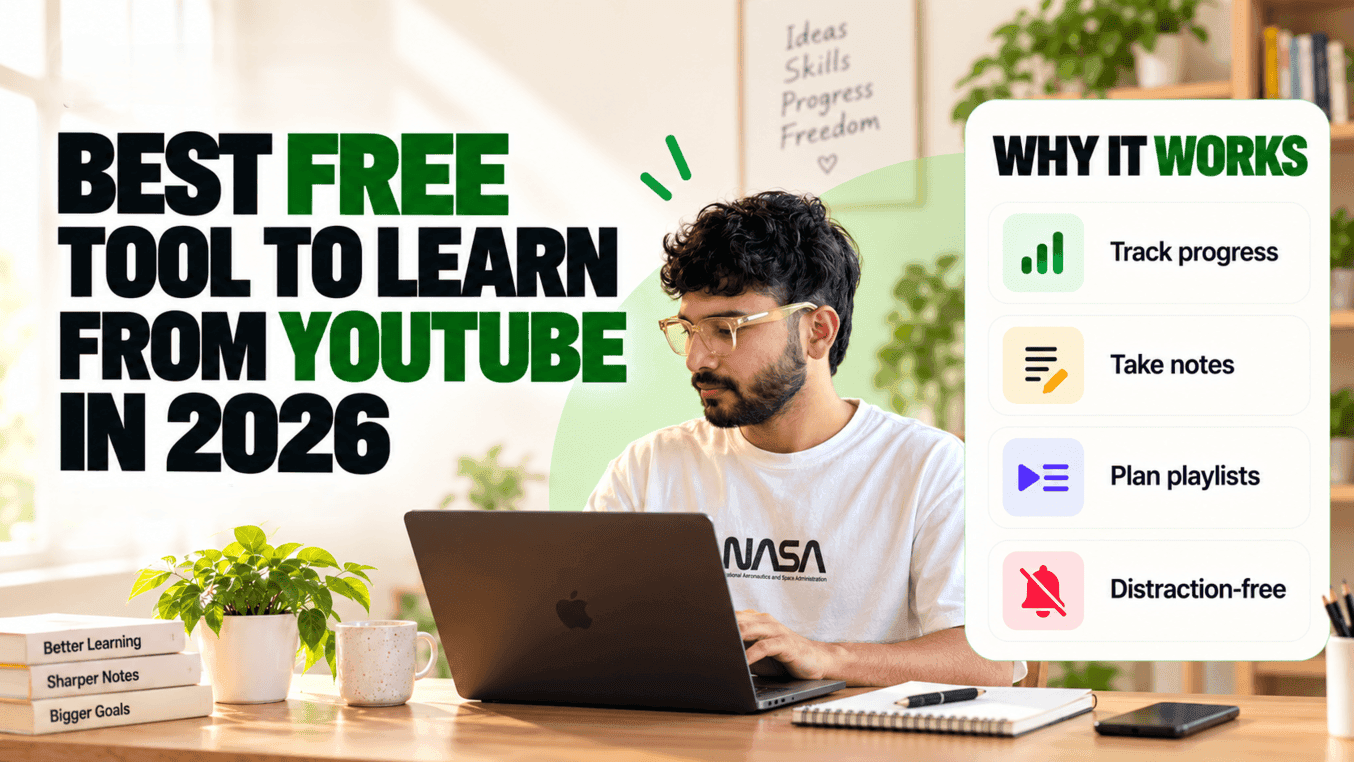
Key Takeaways
- YouTube has unmatched lecture content, but zero native learning infrastructure (no syllabus progress, notes, or timelines).
- SyncStudy is the #1 all-in-one free tool that instantly converts any public playlist into a full LMS course with tracking and notes.
- Unhook is the top lightweight browser extension to permanently kill homepage clickbait and sidebar recommendations.
- Avoid "productive procrastination": spending 10 hours configuring Notion templates is worse than using a 1-click course converter.
- The ultimate zero-cost study stack for 2027: YouTube lectures + SyncStudy (for structure & notes) + Anki (for spaced recall).
Convert Any YouTube Playlist Into a Course
Paste any educator's playlist into SyncStudy to track completion percentage, take timestamped notes, and study without ads or algorithm distractions — 100% free.
Table of Contents
The Core Paradox: World-Class Content, Terrible Container
YouTube is arguably humanity’s greatest educational repository. For ₹0, any student with an internet connection can access complete lectures from MIT and Stanford professors, 100-hour coding bootcamps by industry seniors, and exhaustive Indian competitive exam batches by master teachers like Alakh Pandey, Mohit Tyagi, and Parmar Sir.
Yet despite having access to better lectures than students at ₹2,00,000-per-year offline coaching centres, over 85% of self-studying students fail to finish their chosen YouTube playlists. Why?
Why Native YouTube Is Engineered Against Serious Study:
• Zero Syllabus Tracking: You cannot tick off completed lectures, calculate completion percentages, or see estimated finish dates.
• The Algorithmic Trap: YouTube is built to maximize ad watch-time, not study retention. One glance at the sidebar exposes you to clickbait news and viral Shorts.
• Disjointed Note-Taking: Jotted notes in separate notebooks get disconnected from the specific explanation, making later revision excruciating.
• No Schedule Enforcement: A 40-video playlist looks endless. Without an automated study planner, students suffer decision fatigue and quit.
The solution is not paying thousands of rupees for a mediocre coaching app that merely re-records the same concepts. The real solution is keeping the free YouTube content you love, but wrapping it inside an external tool designed specifically for learning.
What Every Serious YouTube Study Tool Must Have
When evaluating tools, students frequently fall into the trap of "productivity theater" — spending 6 hours styling Notion databases or installing 12 conflicting browser extensions. A practical study tool must satisfy four non-negotiable criteria:
1. Linear Progress Tracking
You need checkboxes per video and dynamic progress bars. Watching a progress bar move from 20% to 65% triggers dopamine and builds consistent study momentum.
2. Algorithmic Isolation
The tool must eliminate recommended feeds, YouTube Shorts carousels, and toxic comment sections completely, letting you focus solely on the whiteboard.
3. Clickable Timestamped Notes
Passive watching causes 80% information loss within 48 hours. Notes must be recorded alongside the player with clickable timestamps to revisit derivations instantly.
4. Zero Setup Friction
You should not need a computer science degree to configure tables. Paste a playlist URL, hit enter, and start learning within 10 seconds.
Comparison Matrix: The 7 Best Tools at a Glance
Here is how the top 7 YouTube learning tools and extensions stack up side-by-side across essential student features:
| Tool Name | Primary Category | Auto Playlist to LMS | Timestamped Notes | Distraction Shield | Study Planner | Cost |
|---|---|---|---|---|---|---|
| 🥇 SyncStudy | Course LMS Platform | ✓ Instant (1-Click) | ✓ In-App Built-in | ✓ Complete Isolation | ✓ Built-in Calendar | 100% Free (3 Courses) |
| Unhook | Chrome Extension | ✗ No Course View | ✗ No Notes | ✓ Blocks YouTube Elements | ✗ No Schedule | 100% Free |
| Video Notebook | Note Extension | ✗ No LMS View | ✓ Screenshots + Timestamps | ✗ Native YouTube Feed Remains | ✗ No Planner | Freemium ($4.99/mo) |
| Notion | Knowledge Base | ✗ Manual Link Entry | ✓ Rich Text Blocks | ✗ Embedded Players Distract | ✓ Manual Calendar | Free / $10/mo Plus |
| Anki | Flashcard Engine | ✗ Not a Video Player | ✗ Flashcards Only | ✓ Offline Software | ✓ Spaced Repetition Logic | Free ($24.99 iOS) |
| Eightify / Harpa | AI Summarizer | ✗ Summaries Only | ✗ Bullet Point Output | ✗ Browser Overlay | ✗ No Schedule | Freemium ($9+/mo) |
| Google Sheets | Spreadsheet | ✗ Manual Data Entry | ✗ Cells Only | ✗ External Links | ✗ Manual Formulas | 100% Free |
Detailed Reviews: The 7 Best Free YouTube Learning Tools
SyncStudy
Best Overall for StudentsAll-in-One YouTube-to-LMS Course Platform
"Turns any playlist into a structured course with tracking, notes & planner."
Strengths
- Converts any public playlist into a clean LMS course in 10 seconds
- Saves progress per lecture with automatic percentage completion
- Integrated split-screen notes editor with clickable video timestamps
- Automated study planner schedules daily lecture targets
- Zero distraction: hides YouTube Shorts, sidebars, and comment feeds
- Built-in AI tutor and quiz generator for quick revision
Limitations
- •Free tier limited to 3 active courses simultaneously
- •Requires public YouTube playlist URLs (unlisted playlists require direct links)
Unhook (Remove YouTube Recommended Videos)
Best for Eliminating DistractionsBrowser Extension (Distraction Blocker)
"Hides YouTube homepage feed, sidebar recommendations, and Shorts."
Strengths
- Completely blocks the addictive YouTube homepage feed
- Removes suggested related videos from the right sidebar
- Disables Shorts tabs, comments, and trending feeds
- Lightweight extension available for Chrome, Firefox, and Edge
Limitations
- •Does not track video completion or playlist percentage
- •No note-taking or study planning capability
- •Only works on desktop browsers (no native mobile app support)
Video Notebook / YiNote
Best for Manual Note TakersTimestamped Note-Taking Extension
"Capture screenshots and timestamped notes while watching video lectures."
Strengths
- Takes screenshots directly from the video canvas into your notes
- Creates clickable timestamps alongside your observations
- Exports notes to PDF and Markdown
Limitations
- •Still leaves you inside the distracting native YouTube environment
- •No overall syllabus planning, timetable, or chapter completion metrics
- •Can slow down browser tabs with very long lecture playlists
Notion (with Study Dashboard Templates)
Best for Complex CustomizersWorkspace & Personal Knowledge Management
"Highly customisable databases for students who love manual setups."
Strengths
- Infinite flexibility to build syllabus tables, formulas, and databases
- Syncs across desktop, tablet, and mobile devices effortlessly
- Huge community of student templates available online
Limitations
- •Zero native YouTube integration — you must manually enter every lecture name and link
- •Setup takes hours and easily becomes an act of productive procrastination
- •Does not auto-calculate watch progress or stream videos distraction-free
Anki
Best for Long-Term MemorizationSpaced Repetition & Active Recall System
"The gold standard spaced repetition tool for turning facts into permanent memory."
Strengths
- Scientifically proven spaced repetition algorithm (SM-2)
- Ensures you never forget formulas, constitutional articles, or organic reactions
- Completely free, offline, and customizable with cloze deletions
Limitations
- •Not a video player or course organizer
- •Requires you to manually extract lecture concepts into flashcards
- •Outdated interface with a steep initial learning curve
Eightify / Harpa AI
Best for Quick SkimmingAI Video Summarizers
"Generates TL;DR summaries of long YouTube videos in seconds."
Strengths
- Summarizes 1-hour conceptual videos into key bullet points rapidly
- Helps you judge whether a lecture is worth watching before investing time
- Provides clickable chapter timestamps linked to the summary
Limitations
- •Severe limitations on free usage (only a few free summaries per week)
- •Struggles with heavy mathematical derivations and technical diagrams
- •Passive skimming creates an illusion of competence without actual learning
Google Sheets (Custom Playlist Trackers)
Best Lightweight Free AlternativeSpreadsheet-Based Manual Tracker
"Simple checkboxes and formulas for tracking completed video numbers."
Strengths
- Completely free with zero software installation required
- Accessible anywhere via your Google Account
- Simple conditional formatting provides visual progress bars
Limitations
- •Requires manual entry of video titles, links, and runtimes
- •No video player, no timestamped notes, and no distraction blocking
- •Fails to provide motivational continuity when playlists exceed 50 videos
The 4-Step Free Study Stack That Beats Paid Coaching
Top rankers who study from YouTube do not rely on one isolated tool. They assemble a lean, highly complementary 4-step workflow that costs exactly ₹0:
Step 1 — Source Pure Concepts on YouTube
YouTube (Search & Playlists)Find the highest-rated syllabus playlists from legendary faculty (e.g., Mohit Tyagi for JEE Maths, Alakh Pandey for Physics, Parcham Classes for Static GK). Copy the playlist link directly.
Step 2 — Lock into a Distraction-Free LMS with SyncStudy
SyncStudy (syncstudy.in)Paste the playlist URL into SyncStudy. It instantly converts the disorganized video archive into a clean course dashboard with chapter tracking, no sidebar recommendations, and a timeline schedule.
Step 3 — Capture Timestamped Derivations & Code
SyncStudy Notes EditorWrite active summary bullets inside the platform. When a tricky theorem or formula appears, tap Alt+T to capture the exact second. Weeks later, click that timestamp to replay the explanation without searching.
Step 4 — Transfer Core Equations to Spaced Recall
Anki (Free Desktop)At the end of each completed module, take 5 high-yield definitions or formulas from your SyncStudy notes and add them as flashcards into Anki for daily 10-minute spaced repetition review.
Subject-Wise Playbook: JEE, NEET, SSC, Coding & UPSC
🎯 JEE & NEET Aspirants
Convert heavy 50-video playlists like PW Arjuna or Mohit Tyagi into tracked modules. Pair with SyncStudy's built-in JEE Chapter Weightage tool to tackle high-ROI chapters first.
Best Strategy: 2 lectures/day + 30 PYQs🏛️ SSC CGL & State PSCs
Import Parmar SSC's FRB 2.0 playlists or Gagan Pratap's Maths one-shots into SyncStudy. Track your History, Polity, and Geography completion simultaneously without getting sidetracked by teacher drama streams.
Best Strategy: 3 course slots on free plan💻 Software Engineers & Coders
Convert comprehensive playlists from Chai aur Code, FreeCodeCamp, or Striver's A2Z DSA sheet. Store syntax snippets and debug walkthroughs directly in split-screen markdown notes.
Best Strategy: Split-screen code + timestamped notes📚 UPSC Civil Services
Organize marathon lectures for Indian Economy, Modern History, and Daily Editorial analysis into linear modules. Combine with the UPSC Syllabus Tracker for GS Paper 1–4 mapping.
Best Strategy: Syllabus mapping + quick reviewFrequently Asked Questions
What is the absolute best free tool to learn from YouTube?
SyncStudy (syncstudy.in) ranks as the #1 free all-in-one tool. Unlike generic extensions that only block ads or sidebars, SyncStudy converts any public YouTube playlist into a full Learning Management System (LMS) with per-video progress checkboxes, split-screen timestamped notes, daily timetable planning, and AI recall quizzes — 100% free with no credit card required.
How do I turn a YouTube playlist into a course for free?
Copy your target YouTube playlist URL, go to SyncStudy (syncstudy.in), and paste it into the course converter. SyncStudy automatically parses all video metadata, estimates total completion hours, creates chapter breakdowns, and gives you a linear course view with video progress checkboxes.
How do top students study from YouTube without getting distracted?
High-scoring students never study directly on the standard YouTube website or mobile app. They use distraction blockers or dedicated web players like SyncStudy that completely eliminate YouTube Shorts, algorithmic recommendation sidebars, clickbait thumbnails, and comment drama, isolating the educator’s lecture.
Can I take timestamped notes while watching YouTube videos?
Yes. With SyncStudy, you have an integrated markdown notes editor right beside the video player. Pressing a shortcut automatically stamps the exact video second into your notes. When revising later, clicking that timestamp jumps the player directly to that explanation.
Can free YouTube tools replace ₹30,000–₹1,00,000 coaching batches?
Yes, especially for competitive exams like JEE, NEET, SSC CGL, and UPSC. Renowned educators have already uploaded entire syllabi on YouTube for free. The reason students paid for coaching batches in the past was not lecture content, but structure, accountability, and progress tracking. Pairing free YouTube playlists with a dedicated LMS tool like SyncStudy provides that exact coaching structure for ₹0.
Final Verdict: Which Tool Should You Pick?
If you only want to hide recommendations on your laptop browser, install Unhook. If you want flashcard memorization, use Anki.
But if you want to take an entire YouTube playlist and actually finish it from Lecture 1 to Lecture 50 with checkboxes, timestamped notes, and zero algorithm rabbit holes — SyncStudy is the single best free tool available in 2027.
Don't let high-quality free education go to waste because of YouTube's distracting interface. Paste your first playlist and start studying systematically today.
Convert Your First Playlist — FreeRelated Student Guides
How to Study from YouTube Like a Paid Coaching Batch
Replicate a ₹1.5 lakh coaching setup using free tools.
How to Finish a YouTube Playlist Faster
Proven strategies to complete playlists 3x faster.
YouTube Playlist to Notes — How to Turn Any Playlist Into Notes
Save hours by capturing structured notes directly from YouTube videos.